Warning: Fake 7-Zip Sites Are Topping Search Results – How to Spot the Real Deal and Stay Safe
【この記事にはPRを含む場合があります】
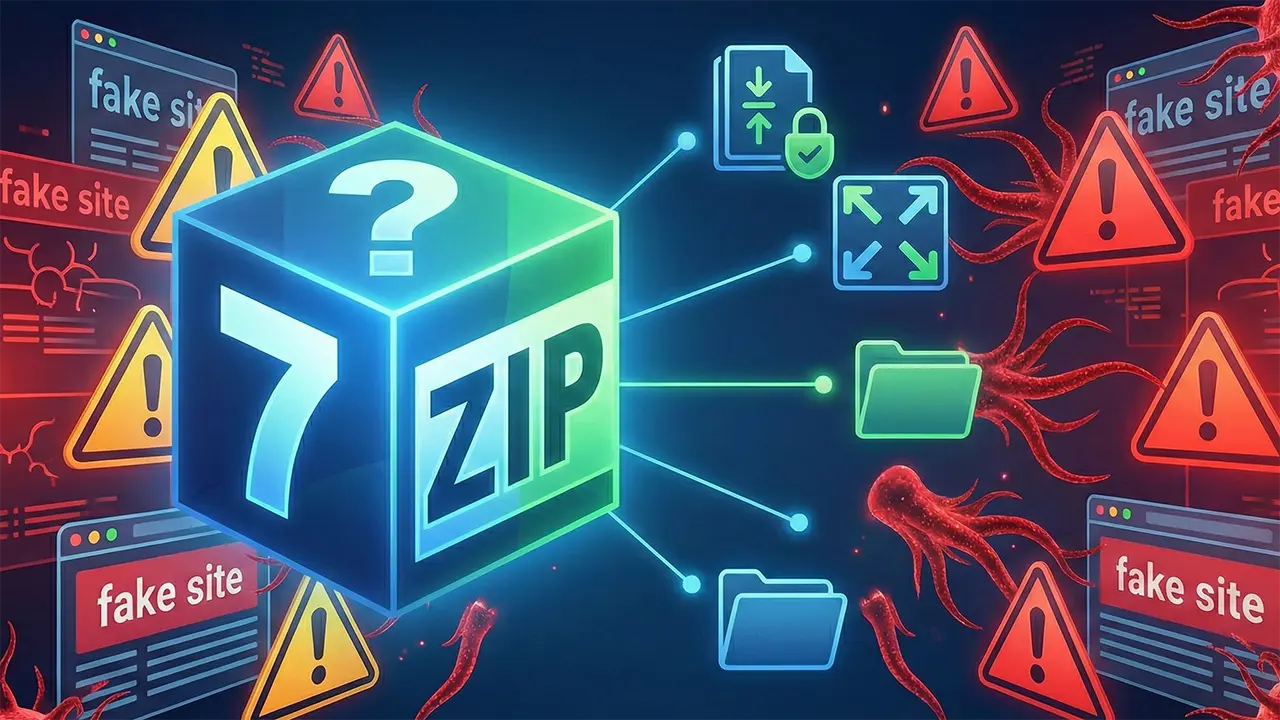
“I tried to download 7-Zip, but I have no idea which site is the real one.” “I heard rumors about fake installers—is my PC actually safe?”
If you’ve asked yourself these questions recently, you aren’t paranoid—you’re prudent.
7-Zip is the gold standard for free file compression, known for its high compression ratios and open-source transparency. However, its popularity has made it a prime target for cybercriminals. Fake websites are currently appearing at the top of search engine results, tricking users into installing virus-laden software.
Furthermore, security vulnerabilities found in older versions of the software can leave your PC open to hijacking if you don’t update manually.
In this guide, we’ll break down exactly how to distinguish the official site from the scams, how to perform a safety check on your current installation, and the best practices for using 7-Zip on Windows 11.

- Why Is 7-Zip Considered "Dangerous"?
- The Official Site Test: Ugly is Good?
- Checkpoint 1: The URL (Domain Name)
- Checkpoint 2: The "Web 1.0" Design
- Checkpoint 3: The "Hero" Folder Check
- Alternatives: WinRAR vs. Windows 11 Native Support
- Security Audit: Check Your Version Now
- Quick Guide: Using 7-Zip Safely
- The Bottom Line
Why Is 7-Zip Considered “Dangerous”?
7-Zip has been a staple of the PC community since 1999. It handles the proprietary .7z format (which compresses better than standard zip) and supports over 30 other formats including .rar and .tar.
It’s powerful, free, and open-source. But these very traits have led to two major risks:
1. The “SEO Poisoning” Trap
The biggest threat right now is fake websites posing as the official source. When you search for “7-Zip download” or “7zip” on Google or Bing, illegitimate distribution sites often rank higher than the official page.
If you download an installer from these copycats, you will get a working version of 7-Zip, but it comes bundled with invisible extras. These installers often deploy spyware or remote access trojans in the background, harvesting your data while you unzip your files.
2. The “No Auto-Update” Vulnerability
Unlike Windows or your browser, 7-Zip does not have an auto-update feature.
Critical vulnerabilities have been discovered in how older versions process files. In 2025, flaws were identified that could allow attackers to control your PC just by having you open a malicious file. If you rely on the “set it and forget it” mentality, your PC remains vulnerable indefinitely unless you manually install the newest version.
The Official Site Test: Ugly is Good?
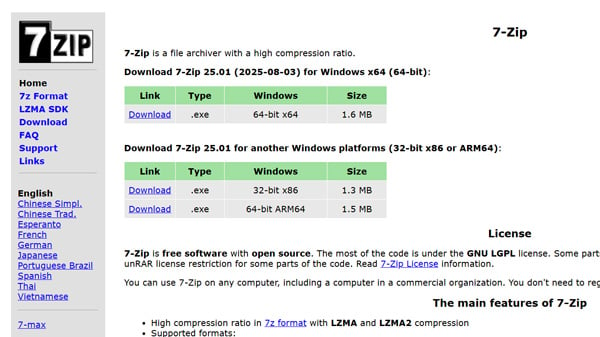
(Source: Igor Pavlov)
How do you ensure you are downloading the safe version? Use these three checkpoints.
Checkpoint 1: The URL (Domain Name)
This is the only rule that matters:
- ✅ The Real Site: 7-zip.org
- ❌ The Fakes: 7zip.com, 7zip.cloud, etc.
The official domain ends in .org. While “.com” usually feels more legitimate for brands, in this case, it is almost certainly a scam or unauthorized repacking site.
Checkpoint 2: The “Web 1.0” Design
Here is the irony: Fake sites often look better than the real one.
- The Real Site: It looks like it was built in the 90s. It’s a plain list of text links and minimal formatting.
- The Fake Sites: They feature modern graphics, big glossy “Download” buttons, and polished layouts.
Don’t let a slick interface fool you. If the site looks “ancient and bare-bones,” you are likely in the right place.
Checkpoint 3: The “Hero” Folder Check
If you suspect you might have already installed a bad version, check your Windows system folders. Malicious installers often leave specific footprints.
Navigate to:
C:\Windows\SysWOW64\heroIf you find a folder named “hero” or a file named “hero.exe” here, your PC may be infected with a “Helper Service” or other unwanted bloatware. Run a full scan with your antivirus software immediately.
> The official 7-Zip website is here.

Alternatives: WinRAR vs. Windows 11 Native Support
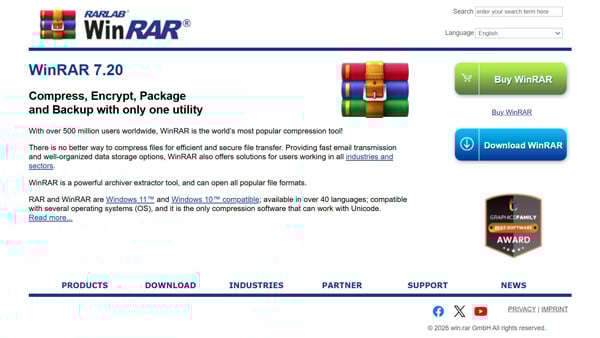
(Source: win.rar GmbH)
If the risk of fake sites feels like too much hassle, you have other solid options.
WinRAR: The Reliable Classic
WinRAR is the other titan of the compression world.
- Pros: User-friendly interface and excellent file repair features for corrupted archives.
- Cons: It is technically paid software (Shareware). While the “40-day free trial” famously lets you keep using it forever with just a nag screen, businesses must purchase a license for compliance.
Windows 11: No Extra Software Needed?
If you are running Windows 11, you might not need third-party tools at all. Recent updates have added native support for .rar and .7z files. You can now right-click and extract these formats directly in File Explorer without installing anything.
Unless you need advanced encryption or maximum compression settings, relying on Windows native features is the ultimate security move because it eliminates the risk of downloading external software.
> The official WinRAR website is here.

Security Audit: Check Your Version Now
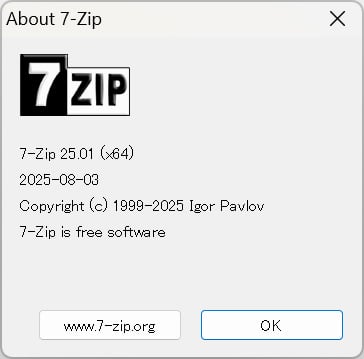
7-Zip is free for commercial use, so it is installed on millions of work computers. However, because it doesn’t auto-update, corporate environments are full of dangerous, outdated versions.
How to check your version:
- Open “7-Zip File Manager.”
- Click Help in the menu bar.
- Select About 7-Zip.
If your version is 25.01 or higher (the August 2025 release), you are patched against known vulnerabilities. If you see version numbers like “21.xx” or “19.xx,” your system is at risk. Update it immediately via 7-zip.org.

Quick Guide: Using 7-Zip Safely
Once you have the official version installed, usage is simple and mostly done via the Right-Click Context Menu.
- To Extract: Right-click a file > Select 7-Zip > Click Extract Here. This instantly unpacks the contents.
- To Compress: Right-click a folder > Select 7-Zip > Click Add to archive….
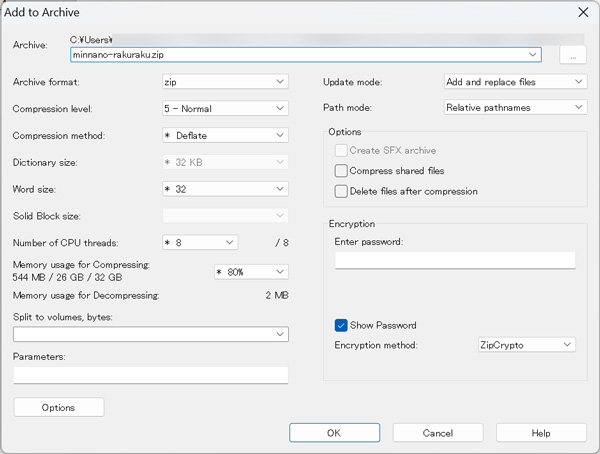
- Pro Tip: In the settings window that pops up, you can enter a password on the right side under “Encryption” to easily secure your data.
The Bottom Line
7-Zip is an essential tool, but it requires a “user-beware” approach.
- Always verify the domain is 7-zip.org.
- Never trust a site just because it looks modern.
- Manually update if you haven’t done so in the last year.
Next time you hear a colleague or friend say they just installed 7-Zip, do them a favor and ask: “Did you make sure it was the .org site?” It might just save their PC.

- Rapidus Explained: Japan’s Bold $35B Bet on 2nm Chips to Rival TSMC
- Davos 2026 Recap: Trump’s Return, The AI Power Crunch, and Japan’s Bold Crypto Pivot