


How To Use and Connect to Sapporo City’s Free Wi-Fi (sapporo_city_Wi-Fi)
[This article may contain PR]
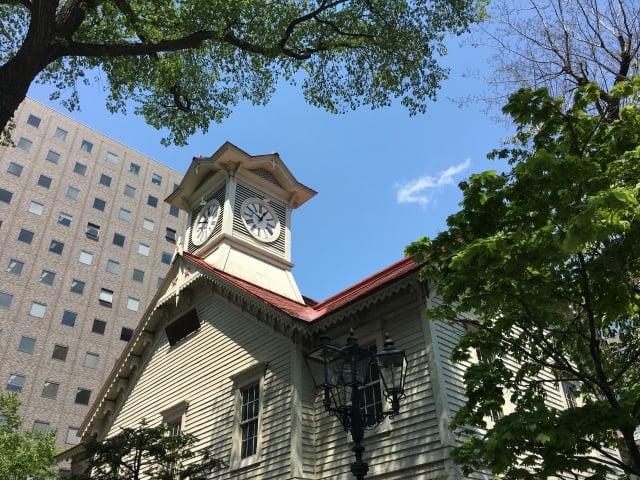

Sapporo City in Hokkaido, one of the most popular tourist destinations in Japan, has Free Wi-Fi (Sapporo_City_Wi-Fi) that anyone can use for free, 24 hours a day.
It is recommended to make use of this service when you want to use Wi-Fi in Sapporo.

How to use and connect to Sapporo City’s free Wi-Fi (Sapporo_City_Wi-Fi)
How to use and connect to Sapporo City’s free Wi-Fi is as follows.
(Source: City of Sapporo)
- Open the “Wi-Fi Settings” screen of the device (PC, smartphone, tablet, game console, etc.) you wish to connect to.
- Tap the SSID (Sapporo_City_Wi-Fi/Sapporo_City_Wi-Fi_2G)
- Your browser will automatically launch and the Internet connection screen will appear.
- Select “Login with SNS account authentication” or “Login with email address authentication” on the Terms of Use screen.
- Once authentication is complete, the connection is established.
Areas and locations where Sapporo’s free Wi-Fi is available
Free Wi-Fi in Sapporo is available in many places, including train stations, gymnasiums, and commercial facilities.
For details, please check the official website of the City of Sapporo (https://www.city.sapporo.jp/keizai/kanko/news2/city_wifi.html)(website only available in Japanese).
*Note that the number of connections per day is unlimited, but each connection time is 30 minutes.
*In the event of a disaster, Internet access is available regardless of whether or not you have registered to use the service.
*Sapporo City Free Wi-Fi (Sapporo_City_Wi-Fi) is equipped with a children friendly filter. Therefore, harmful sites cannot be viewed.

If the free Wi-Fi in Sapporo does not work…
Sapporo, a popular tourist spot, has free Wi-Fi that anyone can use 24 hours a day, free of charge.
Free Wi-Fi is definitely useful for checking tourist information, train and bus schedules.
However, if too many people connect to the free Wi-Fi at once, it may cause problems such as slow communication speeds or sudden loss of Wi-Fi connection.
In such cases, we recommend bringing a pocket Wi-Fi device that can be carried easily or using an “eSIM” that can be used immediately from the day of registration.
Use other means to connect to the Internet and enjoy sightseeing in Sapporo!


<Top 5> Most Famous Haunted Places in Sapporo

Rapidus Explained: Japan’s Bold $35B Bet on 2nm Chips to Rival TSMC

The Fascinating Story Behind Snow Miku and Her Limited Edition Merch Available Only in Hokkaido

Golden Kamuy Pilgrimage Spots

Connecting to Free Wi-Fi at Asahikawa Airport: Everything You Need to Know (.AsahikawaAirport_Free_Wi-Fi)

How to Use Obihiro City’s Free Wi-Fi (OBIHIRO FREE Wi-Fi)
On the lifestyle web magazine "Minna no Rakuraku Magazine",
we update useful tips and deals every month. Please bookmark us!
- Here’s How To Connect to Fukuoka Airport’s Public Wi-Fi (Fukuoka-Airport Wi-Fi)
- How to Connect to Naha Airport Free Wi-Fi (Step-by-Step Guide)