


Is Gemini 3 Flash Free? Speed, Pricing, and How It Beats GPT-5.2 & Gemini 3 Pro
[This article may contain PR]

“Google just dropped a new AI, but what makes it special?” “Should I use Gemini 3 Pro or the new Flash model?” “Is it actually better than ChatGPT? Should I switch?”
If these questions are on your mind, you aren’t alone.
On December 17, 2025, Google shook up the AI landscape with the release of Gemini 3 Flash. Shattering the old tradeoff between “cheap/fast” and “smart,” this model is making headlines for a surprising reason: in some key performance metrics, it actually outperforms its premium sibling, Gemini 3 Pro.
In this guide, we’ll cut through the jargon to explain what makes Gemini 3 Flash groundbreaking, confirm whether it’s truly free, and help you decide how to fit it into your workflow alongside rivals like ChatGPT.
- What is Gemini 3 Flash? Pro Performance at Flash Speeds
- Yes, Gemini 3 Flash is Free. Here’s How to Use It.
- Gemini 3 Flash vs. Gemini 3 Pro: Which Should You Choose?
- 1. Price and Speed: Winner = Flash
- 2. Coding and Agents: Winner = Flash (Surprisingly)
- 3. Creativity and Nuance: Winner = Pro
- Comparison: Gemini 3 Flash vs. ChatGPT (GPT-5.2)
- Verdict: How to Optimize Your AI Stack
What is Gemini 3 Flash? Pro Performance at Flash Speeds
(Source: Google DeepMind)
Gemini 3 Flash is the latest model from Google DeepMind, engineered to balance speed, cost-efficiency, and high intelligence.
Historically, models labeled “Flash” (like Gemini 1.5 Flash or 2.5 Flash) were known for being lightweight and snappy but generally less intelligent than the “Pro” versions. Gemini 3 Flash breaks this rule entirely.
The Game-Changer: Speed Meets Reasoning
What sets Gemini 3 Flash apart is that it isn’t just fast—it’s smart. According to Google, it outperforms the previous generation’s Gemini 2.5 Pro in complex reasoning and coding tasks. More shockingly, it matches or even exceeds the scores of the current high-end Gemini 3 Pro in specific areas.
The standout feature is its coding capability. In the “SWE-bench Verified” benchmark, which measures how well an AI acts as a coding agent, Gemini 3 Flash scored an impressive 78.0%. This actually beats Gemini 3 Pro, which scored 76.2%.
Key Features at a Glance
- Thinking Mode: You can adjust the “Thinking Level” (Minimal, Low, Medium, High) depending on how deep you need the AI to reason through a problem.
- Multimodal Mastery: It doesn’t just read text; it analyzes images, audio, video, and PDFs with ease.
- Unbeatable Value: It delivers Pro-tier performance at roughly one-fourth the API cost of Gemini 3 Pro.

Yes, Gemini 3 Flash is Free. Here’s How to Use It.
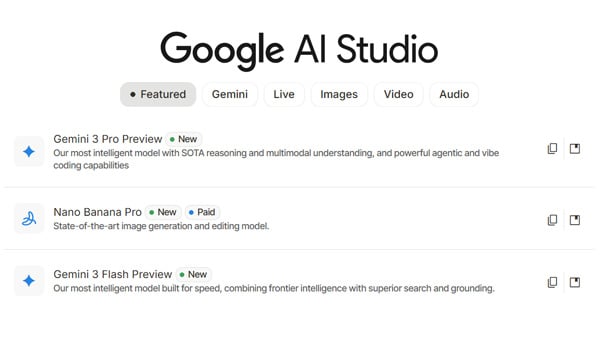
(Source: Google AI Studio)
Let’s get straight to the point: Gemini 3 Flash is free to use. Google has automatically upgraded its free-tier models, so you can access it right now without a credit card or subscription.
For General Users: Start Immediately
You likely already have access without realizing it:
- The Gemini App (Web & Mobile): The standard model powering the free version of Gemini has shifted from “Gemini 2.5 Flash” to Gemini 3 Flash. Just head to gemini.google.com or open the app on your phone to chat with the new model at no extra cost.
- Google Search “AI Mode”: Gemini 3 Flash is now being rolled out as the default engine for the AI overviews integrated into Google Search.
> Google Play “Google Gemini” download page is here (for Android)
> App Store “Google Gemini” download page is here (for iPhone and iPad)
For Developers: API and CLI Access
If you are building apps or need more control, Google provides robust tools:
- Google AI Studio / Vertex AI: Get your API key here. This platform allows you to tweak granular settings like the “Thinking Level.”
> The official Google AI Studio page is here. - Gemini CLI: Perfect for coders, this command-line tool lets you call Gemini 3 Flash directly from your terminal to generate code or automate project builds.
- Android Studio: The model is integrated directly into the IDE, serving as a powerful assistant for Android app development.
> The official Android Studio page is here.
Gemini 3 Flash vs. Gemini 3 Pro: Which Should You Choose?
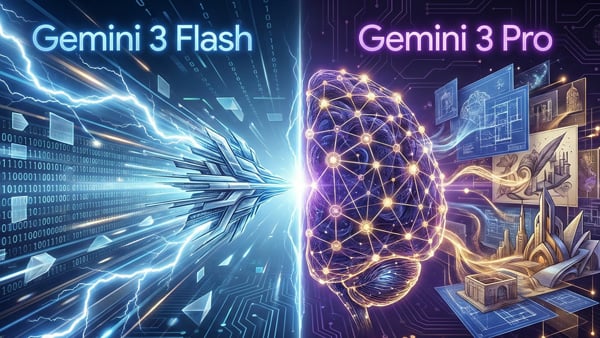
“If Flash is so good, why does Pro exist?” It’s a valid question. While Flash punches above its weight, it doesn’t win every round.
1. Price and Speed: Winner = Flash
This is a landslide victory for Flash.
- Gemini 3 Flash: $0.50 per 1M input tokens.
- Gemini 3 Pro: $2.00 per 1M input tokens.
Flash is 4x cheaper and offers significantly lower latency. If you are processing massive datasets or building real-time apps, Flash is the obvious choice.
2. Coding and Agents: Winner = Flash (Surprisingly)
Thanks to its optimization for recursive loops and agentic workflows, Gemini 3 Flash actually scores higher on benchmarks like SWE-bench Verified. It is better suited for autonomous problem-solving in code.
3. Creativity and Nuance: Winner = Pro
The Pro model still reigns supreme for “vibes.” Reviews suggest Flash can sometimes summarize too efficiently, losing the flavor of the text. For creative writing, grasping subtle emotional nuances, or generating complex, high-quality Japanese charts, Gemini 3 Pro typically delivers superior results.

Comparison: Gemini 3 Flash vs. ChatGPT (GPT-5.2)
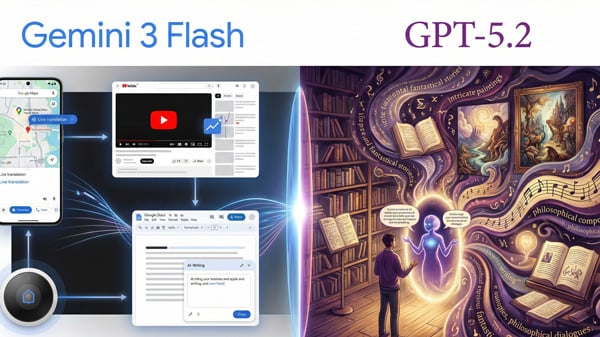
How does it stack up against OpenAI’s latest heavyweight, GPT-5.2?
Cost Performance
Gemini 3 Flash wins by a mile.
- GPT-5.2 (Extra High): Input ~$1.75 | Output ~$14.00+
- Gemini 3 Flash: Input $0.50 | Output $3.00
You are getting comparable reasoning capabilities for a fraction of the price.
Intelligence and Accuracy
Looking at the “Humanity’s Last Exam” benchmark:
- Gemini 3 Flash: 33.7% accuracy
- GPT-5.2 (Extra High): 34.5% accuracy
The difference is less than 1%. For practical purposes, they are in the same intelligence weight class. However, some data suggests Flash may have a slightly higher hallucination rate, so always double-check facts when accuracy is critical.
Verdict: How to Optimize Your AI Stack
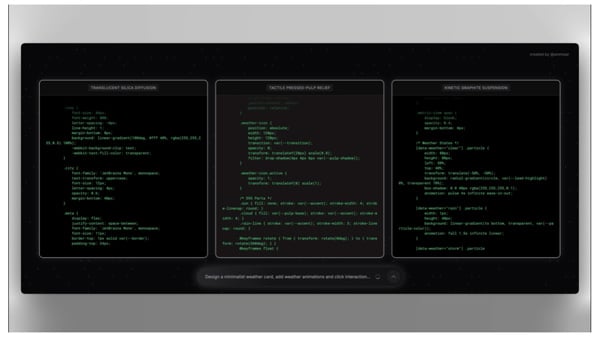
(Source: Google)
The release of Gemini 3 Flash has made the old strategy of “Pro for smarts, Flash for speed” obsolete. For most users, Flash is now capable enough to be the daily driver.
When to use Gemini 3 Flash:
- Daily Chat & Research: It’s fast, free, and smart enough for 90% of queries.
- Programming: It currently beats the Pro model for bug fixing and code generation.
- Heavy Data Processing: With a 1-million-token context window, use it to summarize long PDFs or analyze videos quickly.
When to use Gemini 3 Pro:
- Creative Writing: When you need a novel, a heartfelt blog post, or nuanced tone.
- Complex Visuals: For high-fidelity multimodal outputs.
When to use ChatGPT (GPT-5.2):
- Strict Instruction Following: If you need an AI that follows rigid constraints without “getting creative” or trying to be too helpful, GPT-5.2 is often easier to steer.
Final Thoughts
Gemini 3 Flash proves that high-performance AI doesn’t have to be expensive or slow. By bringing Pro-level intelligence to the free tier, Google has essentially upgraded everyone’s smartphone with a supercomputer overnight.
If you haven’t tried it yet, open your Gemini app today. Whether you’re snapping a photo of handwritten notes for analysis or debugging code, the speed and quality might just surprise you.
Gemini 3.8 Flash Pricing: Why a Flat Token Rate Means a 40% Higher Bill
Google Drops Gemini 3.6 Flash: High-Speed Agentic AI Beats Claude and GPT in PC Control (July 2026)
The Gemini Shockwave: Why Apple Partnered with Google to Power Siri’s Massive AI Upgrade

Pro-Level AI Snow Filter: The Insider Hack to Customizing Photos with ChatGPT (DALL-E) and Gemini for Free
Google Mixboard: Visualize Ideas Fast with Nano Banana
Gemini 2.5 Pro: Free Access Now Available! Discover What Gemini Can Do and How to Use It
On the lifestyle web magazine "Minna no Rakuraku Magazine",
we update useful tips and deals every month. Please bookmark us!
- Is 3I/ATLAS an Alien Spaceship? Separating Viral Rumors from NASA Facts
- What is the "67" Meme? Inside the Gen Alpha Brainrot Trend Taking Over 2025