


GPT-5.5 Explained: Features, Pricing, and How OpenAI’s Autonomous Agent Compares to Claude 4.7
[This article may contain PR]

Key Takeaways
- From Chatbot to Autonomous Agent: Released on April 24, 2026, GPT-5.5 is OpenAI’s latest flagship model, designed to plan and execute complex tasks independently.
- Computer Use Capabilities: When paired with the OpenAI Codex app, GPT-5.5 can directly operate your computer—clicking, typing, and navigating software like a human.
- Massive Token Efficiency & Context: It handles up to a 1 million token context window and uses significantly fewer output tokens to deliver high-quality results compared to GPT-5.4.
- Pricing & Availability: GPT-5.5 requires a paid subscription (starting around $20/month) and is not available on the free tier.
- The Best AI for the Job: While GPT-5.5 excels in coding and autonomous execution, Claude Opus 4.7 is better for nuanced writing, and Gemini 3.1 Pro remains the most cost-effective option.

- What is GPT-5.5?
- GPT-5.5 vs. GPT-5.4: Key Upgrades
- Dramatic Increase in Token Efficiency
- "Computer Use" Integration via Codex
- Flawless Visuals with GPT Image 2.0
- Rock-Solid 1 Million Token Context Window
- How to Use GPT-5.5 on Desktop and Mobile
- Is GPT-5.5 Free? Pricing Explained
- AI Model Comparison: GPT-5.5 vs. Claude Opus 4.7 vs. Gemini 3.1 Pro
- Conclusion: Maximizing Productivity with AI
What is GPT-5.5?
Released by OpenAI on April 24, 2026, GPT-5.5 is a fully retrained flagship AI model that marks a massive paradigm shift: the transition from a reactive chatbot to an autonomous AI agent. Instead of waiting for step-by-step prompts, you can simply assign a goal, and GPT-5.5 will autonomously create a plan, utilize necessary tools, and verify the final results to complete the task. This capability makes it a significant step toward Artificial General Intelligence (AGI).
GPT-5.5 vs. GPT-5.4: Key Upgrades

(Source: OpenAI)
The biggest differences between GPT-5.5 and its predecessor, GPT-5.4, lie in unprecedented token efficiency and autonomous computer execution capabilities. Here is a breakdown of the major improvements:
Dramatic Increase in Token Efficiency
GPT-5.5 achieves the same or better quality of answers while consuming significantly fewer output tokens than GPT-5.4. By reducing unnecessary “overthinking,” the model arrives at correct answers more smartly. While the baseline processing speed is similar to GPT-5.4, this efficiency makes the perceived response time feel much faster.
“Computer Use” Integration via Codex
By integrating with OpenAI’s Codex application, GPT-5.5 can now physically interact with your computer screen. It can automatically click, type, and navigate browsers and desktop software. For instance, it can open a website, input data, launch screen recording software like OBS, and record a tutorial video entirely on its own.
Flawless Visuals with GPT Image 2.0
While GPT-5.5 is fundamentally a language model, its deep integration with the new GPT Image 2.0 generator has drastically improved image creation. The notorious issue of distorted text in AI-generated images has been virtually eliminated, making it capable of generating production-ready YouTube thumbnails and website mockups.
Rock-Solid 1 Million Token Context Window
GPT-5.5 supports a massive context window of up to 1 million tokens. You can upload lengthy PDF reports or massive source code files, and the model will maintain context without losing track of crucial details, allowing for highly accurate data analysis and code debugging.

How to Use GPT-5.5 on Desktop and Mobile
(Source: OpenAI)
To access GPT-5.5, you must be a subscriber to a premium tier, such as ChatGPT Plus.
Using the Web and Mobile ChatGPT App:
- Log into your ChatGPT account and open a new chat.
- Open the model selection menu at the top left.
- Select “GPT-5.5 (Thinking)”.
- Adjust the “Thinking effort” to either “Standard” or “Extended” based on the complexity of your prompt.
> Click here for the “ChatGPT” app download page on the Google Play Store (for Android)
> Click here for the “ChatGPT” app download page on the App Store (for iPhone)
> Click here for the official OpenAI ChatGPT website
Using the Codex App for Automation and Coding:
For local file access and autonomous PC operations, the dedicated OpenAI Codex app is the best approach.
- Install the Codex app on your PC.
- Set the model to “GPT-5.5” in the settings.
- Enter your prompt and toggle “Plan mode” to review the AI’s action plan before it executes.
- Enable “Computer Use” in settings to allow the AI to autonomously operate your PC for tasks like document creation or software testing.
> Click here for the OpenAI Codex official website

Is GPT-5.5 Free? Pricing Explained
No, GPT-5.5 is currently not available on the free tier. Access requires a paid subscription starting around $20/month (equivalent to the typical ChatGPT Plus tier). For even more advanced reasoning, users can upgrade to the “GPT-5.5 Pro” tier, which costs approximately $110/month.
API Pricing for Developers:
For developers integrating GPT-5.5 into their systems, the API cost is double that of GPT-5.4.
- Input tokens: $5.00 per 1 million tokens.
- Output tokens: $30.00 per 1 million tokens. However, OpenAI introduced Context Caching. If the same prompt context is repeatedly used, the input cost drops drastically to just $0.50 per 1 million tokens, making iterative agent tasks highly cost-effective.
AI Model Comparison: GPT-5.5 vs. Claude Opus 4.7 vs. Gemini 3.1 Pro
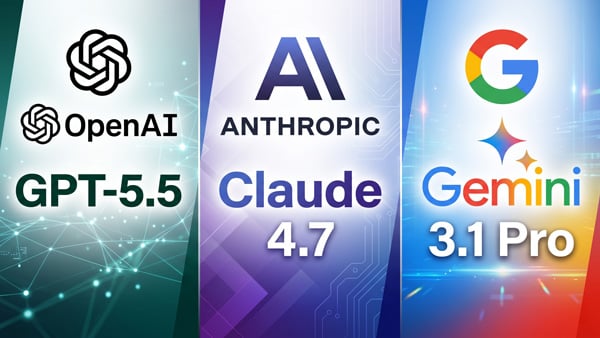
The AI landscape is highly specialized today. The bottom line is: choose GPT-5.5 for coding and autonomous tasks, Anthropic’s Claude Opus 4.7 for elegant writing and design, and Google’s Gemini 3.1 Pro for deep Google ecosystem integration at a low cost.
While GPT-5.5 dominates benchmarks like Terminal Bench and OS World, Anthropic’s specialized “Claude Mythos” model remains highly competitive in niche fields like cybersecurity, largely due to its proprietary training data.
| Feature | OpenAI “GPT-5.5” | Anthropic “Claude Opus 4.7” | Google “Gemini 3.1 Pro” |
|---|---|---|---|
| Best Used For | Autonomous task execution, math, coding, Computer Use | Sustaining long context, nuanced writing, financial analysis, UI design | Cost-efficiency, Google Workspace integration |
| API Cost (per 1M Output) | $30.00 (Pro: $180.00) | $25.00 | $12.00 |
| Context Window | 1 Million Tokens | 1 Million Tokens | 1 Million Tokens |
| Ideal Workflows | End-to-end data analysis automation, app dev, PC control | Client proposals, deep counseling, meticulous code reviews | Internal info search, Gmail/Calendar daily task processing |
| Weaknesses | May lack the “warmth” and design nuance of Claude | High token consumption can hit usage limits quickly | Pure logical performance (like coding) slightly trails the others |
Conclusion: Maximizing Productivity with AI
With the release of GPT-5.5, workflows that used to take days—from research to coding—can now be completed in minutes. However, simply outsourcing everything to an AI agent is not enough. To truly create value, human oversight is required; you must review the AI’s output and inject your unique perspective and experience. Subscribe to a premium ChatGPT plan today and delegate your tedious tasks to GPT-5.5 to experience this monumental leap in productivity firsthand.
> Click here for the “ChatGPT” app download page on the Google Play Store (for Android)
> Click here for the “ChatGPT” app download page on the App Store (for iPhone)
> Click here for the official OpenAI ChatGPT website

Is Twitter Really Back? The Legal and Technical Reality Behind Twitter.now (August 2026)
Grok 4.6 Ultimate Guide: Pricing, Benchmarks, and Top Features (August 2026)
Google Drops Gemini 3.6 Flash: High-Speed Agentic AI Beats Claude and GPT in PC Control (July 2026)
OpenAI GPT-5.6 Sol, Terra, and Luna: Complete Pricing, Features, and ChatGPT Work vs. Claude Fable 5 Comparison
Is Chat Dead? Inside OpenAI’s ChatGPT Super App Overhaul & IPO Strategy
What is Kimi K2.6? Pricing, Features, and How Moonshot AI Competes with GPT-5.4
On the lifestyle web magazine "Minna no Rakuraku Magazine",
we update useful tips and deals every month. Please bookmark us!
- What is Kimi K2.6? Pricing, Features, and How Moonshot AI Competes with GPT-5.4
- STEINS;GATE RE:BOOT Release Guide (2026): What's New, Platforms, and the Anime Watch Order