


Huxe AI App Shutting Down: A Final Review of the Ultimate Daily Podcast
[This article may contain PR]

*Added on May 22, 2026
Are you tired of losing precious morning hours mindlessly scrolling through X (formerly Twitter), checking your work emails, and reviewing your calendar while still in bed? If you have been looking to maximize your morning efficiency, you might have heard the buzz around a groundbreaking new audio tool.
Built by the ex-Google team behind the hit AI tool NotebookLM, Huxe was an innovative audio app that automatically summarized your daily schedule, inbox, and favorite news topics into a personalized, 5-minute interactive podcast. However, before you rush to your phone to try it out, there is a major update regarding the app’s availability.
- Important Update: Huxe is Officially Shutting Down
- Key Takeaways
- What Was Huxe? Features & Specifications
- Honest Review: How Huxe Transformed My Morning Routine
- Setup and Personalization
- Hands-Free Productivity and The Daily Briefing
- The Interactive "Join" Feature
- Top 5 Benefits of Using Huxe
- Cons and Areas for Improvement
- Crucial Security Tips When Connecting Gmail to Huxe
- Huxe vs. NotebookLM: What is the Difference?
- Who Should (and Shouldn't) Use Huxe
- Frequently Asked Questions (FAQ)
- What Huxe's Legacy Means for the Future of AI Audio
Important Update: Huxe is Officially Shutting Down
(Source: Huxe)
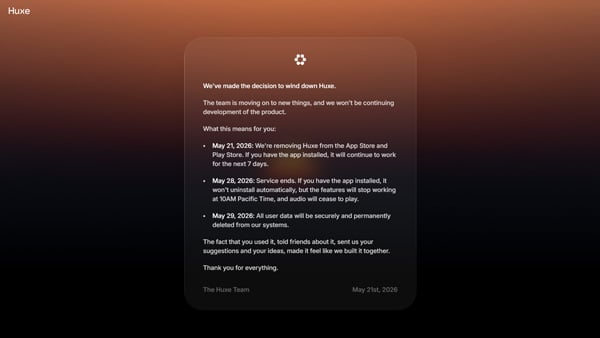
Despite gaining traction among early adopters and tech enthusiasts, the Huxe team has decided to wind down the project as they transition to new ventures. As a result, active development has ceased, and the app is being retired.
If you are a current user wondering about the fate of your connected email and calendar data, here is the official, simplified timeline of the shutdown process:
- May 21, 2026 (Delisted): The app was permanently removed from both the Apple App Store and Google Play Store. Existing users can still use the app for a 7-day grace period.
- May 28, 2026 (Service Ends): At exactly 10:00 AM Pacific Time, all backend servers will shut down. The app will no longer generate briefs, and all audio playback will cease entirely. (Note: You will need to manually delete the app from your phone, as it will not uninstall itself).
- May 29, 2026 (Data Purged): All user data—including any cached calendar events, email summaries, and personal preferences—will be securely and permanently deleted from Huxe’s systems. You do not need to take any manual action to wipe your account.
While it is disappointing to see such a promising productivity tool leave the market, Huxe provided a fascinating glimpse into the future of proactive, personalized AI. Below is our comprehensive review of what made Huxe so special, serving as a legacy look at a truly revolutionary concept.

Key Takeaways
- Service Discontinued: Huxe is shutting down on May 28, 2026, with all user data scheduled for secure deletion on May 29.
- Zero-Input Summaries: When active, Huxe automatically pulled data from connected Gmail, Outlook, and calendars to create an up-to-date audio briefing without requiring manual prompts.
- Interactive AI Hosts: Unlike traditional podcasts, Huxe featured a unique “Join” button that allowed users to verbally interrupt the AI hosts to ask questions or pivot the topic in real-time.
- Industry-Leading Heritage: Founded by former Google AI product leads Raiza Martin, Jason Spielman, and Stephen Hughes, the app applied the robust conversational tech behind NotebookLM to a hands-free consumer experience.
What Was Huxe? Features & Specifications
(Source: Huxe)
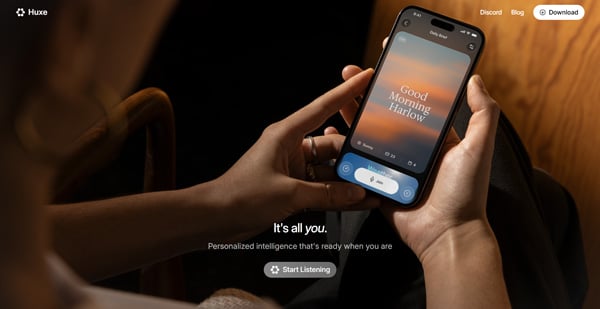
Huxe is a personalized audio intelligence app that acts like a dedicated radio station for your life. Instead of forcing you to search for information, the AI actively organizes your personal data and delivers it via a natural, two-host conversational podcast format.
| Feature | Specification |
|---|---|
| App Name | Huxe |
| Core Functions | Daily Briefings, Research / Use Sources (Deep dives on custom topics), “Join” (Real-time voice interruption) |
| Supported OS | iOS (App Store), Android (Google Play) |
| Pricing | 100% Free (At the time of review) |
| Supported Integrations | Google Calendar, Outlook Calendar, Gmail, Outlook Mail |

Honest Review: How Huxe Transformed My Morning Routine
To see if the app actually delivered on its promises before the shutdown announcement, I integrated Huxe into my daily routine. Here is a totally transparent look at my experience, from the initial setup to the daily hands-free benefits, which showcased the immense potential of proactive AI.
Setup and Personalization
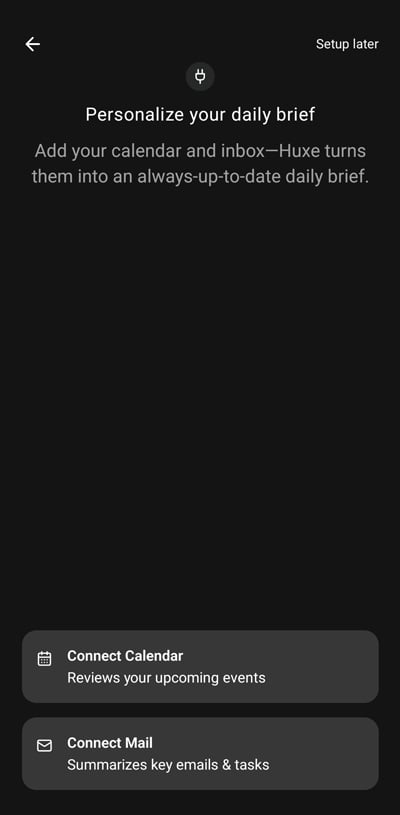
Setting up Huxe is incredibly straightforward. After logging in with a Google account, the app prompts you to connect your preferred calendar and email client.

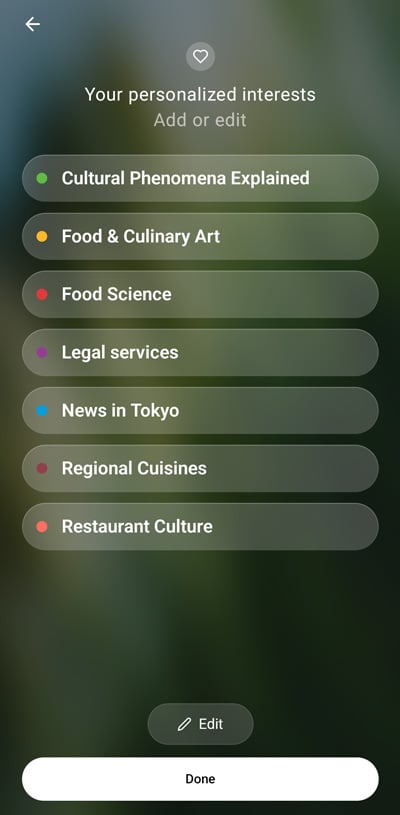
 Next, you input your personal interests—such as “AI,” “Space Exploration,” or “Tech News in San Francisco”—which helps the AI tailor your news segment.
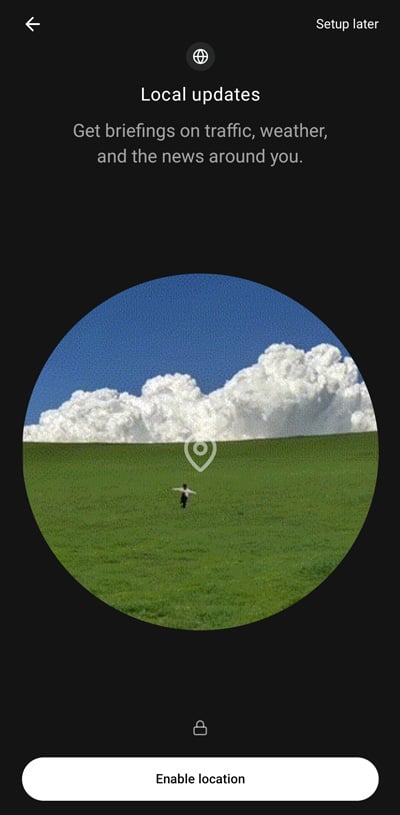
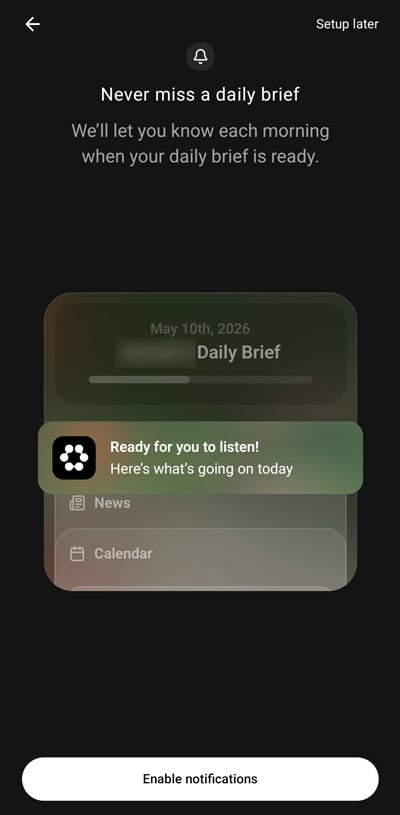
Once you enable location services (for local weather and traffic) and notifications, your personalized radio station is ready to go.
Hands-Free Productivity and The Daily Briefing

When you hit “Play” on the home screen, your custom podcast began. Two AI hosts smoothly transitioned through your daily calendar events, highlighted pressing emails, and discussed news related to your specific interests.
Being able to absorb my daily schedule and news “hands-free” while making coffee or commuting dramatically improved my morning efficiency. For instance, the AI would greet me based on the time of day and effectively remind me of crucial tasks, like renewing a travel authorization, proving its high-level context comprehension. It essentially transformed morning chaos into a streamlined, highly productive audio experience.
The Interactive “Join” Feature

What truly sets Huxe apart from standard podcasts is the Join feature. By tapping the “Join” button on the screen, you can verbally interrupt the broadcast. For example, if you say, “Tell me the Apple news first,” the AI will instantly pivot and discuss the tech news. If the hosts mention a specific business strategy, you can jump in and ask, “What other companies use this strategy?” and they will provide a real-time answer. It is a revolutionary, two-way audio experience.
Want to understand the core philosophy behind Huxe’s interactive features? Listen to Huxe CEO Raiza Martin discuss the future of proactive, interactive AI on Vox Media’s ACCESS Podcast.
Key Takeaways from the Video: In this highly-listened episode, CEO Raiza Martin explains that the next frontier of AI is passive content made interactive. By removing the friction of typing prompts and instead automatically generating a thoughtful briefing from your daily life, Huxe builds a foundation of useful passive listening. Once that habit is established, the app invites users to participate via the “Join” feature, effectively turning a one-way broadcast into a real-time, personalized conversation.

Top 5 Benefits of Using Huxe
- Zero-Input Information Gathering: The AI automatically scans your dynamic data and prepares a brief without you ever having to type a prompt.
- Context-Aware Hands-Free Audio: The AI understands context brilliantly. For example, it might notice a gym session on your calendar and remind you to grab a hoodie because the local forecast predicts rain.
- Interactive Audio (Join): Real-time voice interruptions allow you to dig deeper into topics without breaking the flow of the show.
- On-the-Fly Research Tool:
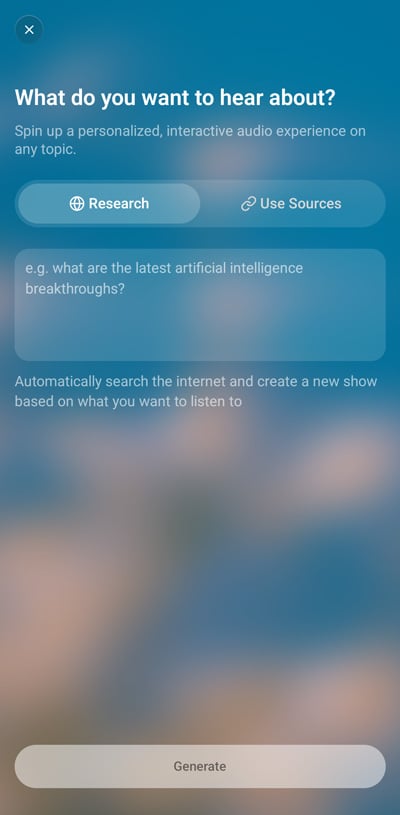 By tapping the “+” button, you can type in any topic (e.g., “What should I know before my business trip to Vegas?”) and Huxe will instantly spin up a custom podcast episode about it.
 - Live Text Transcripts: The app displays what the hosts are saying in text format, which is perfect for noisy environments or when you need to keep your phone muted.

Cons and Areas for Improvement
While Huxe is highly innovative, it is still a young startup product with a few rough edges.
- App Stability and Audio Glitches: The app occasionally suffers from slow response times. Sometimes the AI voices randomly slow down or change pitch mid-sentence.
- No Apple Watch Standalone App: Currently, you cannot leave your phone at home and stream Huxe directly from an Apple Watch during a run.
- Risk of Missing Crucial Information: Because Huxe condenses massive amounts of data into a 5-minute summary, the AI might gloss over critical legal or financial details in your emails. Always verify important messages manually.
- Commercial Use is Prohibited: Content creators cannot export Huxe’s generated audio to use in monetized YouTube videos or other commercial projects. It is strictly for personal use.
Crucial Security Tips When Connecting Gmail to Huxe
The biggest concern for enterprise users is data privacy. Huxe actively pulls data from your inbox to personalize your feed. According to standard startup terms of service, this data might be used to train AI models. Do not connect your primary, highly confidential work email to Huxe.
Best Practices for Security:
- Create a “Hub” Account: Set up a secondary Gmail account specifically for newsletters and general industry updates, and connect that to Huxe.
- Clean Your Inbox Before Syncing: The AI scans your active inbox. Archive or hide sensitive emails before granting access.
- Perform Quarterly Audits: Check your Google Account security settings every three months and revoke third-party app permissions for tools you no longer use.

Huxe vs. NotebookLM: What is the Difference?
Since both tools share the same original DNA, how do they differ?
| Feature | NotebookLM | Huxe |
|---|---|---|
| Data Collection | Active: You manually upload specific PDFs or URLs. | Passive: AI automatically pulls from your calendar and inbox. |
| Best Use Case | Deep-dive research, studying for exams, summarizing meeting notes. | Hands-free morning routines, commuting, daily news catching up. |
| Security Risk | Lower (Closed ecosystem; only analyzes what you upload). | Higher (Requires access to your live email and calendar). |
| Interactivity | Primarily text-based Q&A chat. | Voice-activated real-time interruptions. |
Use NotebookLM when sitting at a desk doing intense research. Use Huxe when you are on the go, making breakfast, or driving to work.

Who Should (and Shouldn’t) Use Huxe
Highly Recommended For
- Busy professionals looking to streamline their morning news and schedule checks.
- Commuters who want to maximize their time using hands-free audio.
- Tech enthusiasts eager to experience the next generation of interactive AI.
Not Recommended For
- Professionals handling strictly confidential data who cannot tolerate third-party inbox access.
- Users looking for a 100% bug-free, perfectly polished app (Huxe is still evolving).

Frequently Asked Questions (FAQ)
Q: Is the Huxe app still available to download?
A: No. As of May 21, 2026, Huxe was removed from the App Store and Google Play Store.
Q: I currently have Huxe installed. When will it stop working?
A: The service will officially end on May 28, 2026, at 10:00 AM Pacific Time. At that point, all features will stop working, and audio will cease to play. You will need to manually uninstall the app from your device.
Q: What happens to my personal calendar and email data after the shutdown?
A: All user data will be securely and permanently deleted from Huxe’s systems on May 29, 2026. You do not need to take any additional steps to secure your data.
Q: Can I use the audio generated by Huxe for my own podcast or YouTube channel before it shuts down?
A: No. Huxe’s terms of service strictly prohibit the commercial use of its generated audio.

What Huxe’s Legacy Means for the Future of AI Audio
Huxe represented a massive paradigm shift in how we consume information. It moved us away from an era where we actively hunt for news, providing a glimpse into a future where AI proactively curates and delivers context-aware intelligence directly to our ears.
While the service is officially ending on May 28, 2026, the concept of a “zero-input,” highly personalized AI radio station is undoubtedly here to stay. The foundational ideas introduced by the Huxe team—specifically the ability to verbally interrupt and converse with passive audio—will likely serve as the blueprint for the next generation of digital assistants. Keep an eye on the evolving AI audio space, because the dream of the ultimate time-saving daily podcast is just getting started.


Gemini 3.8 Flash Pricing: Why a Flat Token Rate Means a 40% Higher Bill
Grok 4.6 Ultimate Guide: Pricing, Benchmarks, and Top Features (August 2026)

Google Drops Gemini 3.6 Flash: High-Speed Agentic AI Beats Claude and GPT in PC Control (July 2026)

OpenAI GPT-5.6 Sol, Terra, and Luna: Complete Pricing, Features, and ChatGPT Work vs. Claude Fable 5 Comparison

Sakana Fugu AI Review: Is This Multi-Agent Orchestrator the Ultimate Claude Fable 5 Alternative?

Is Chat Dead? Inside OpenAI’s ChatGPT Super App Overhaul & IPO Strategy
On the lifestyle web magazine "Minna no Rakuraku Magazine",
we update useful tips and deals every month. Please bookmark us!
- STEINS;GATE RE:BOOT Release Guide (2026): What's New, Platforms, and the Anime Watch Order
- What is Cerebras Systems? The Wafer-Scale AI Chip Challenging NVIDIA’s Inference Dominance